Ergonomics: Biomechanical Calibration
Prolonged seated labor demands an engineering mindset. Human joints are dynamic linkages that experience cumulative static strain when fixed in unnatural spatial geometry.
The Spine as a Kinetic Column
The human spine possesses a natural double S-curve. The cervical and lumbar segments curve anteriorly (lordosis), while the thoracic segment curves posteriorly (kyphosis). When an individual slouches forward to inspect small text on a distant laptop display, the pelvis rotates backward, obliterating lumbar lordosis and transferring compressive loads directly onto the anterior margins of the intervertebral discs.
Research across industrial biomechanics indicates that intradiscal pressure within the third lumbar disc jumps from 100% in an upright, neutral standing posture to over 140% in an unsupported 90-degree seated posture, and can surpass 190% in a forward-slumped slouch. Maintaining lumbar support that gently contacts the back at the level of the belt line is essential to preserve the lumbar lordotic arch.
Seating Calibration Protocols
A quality ergonomic task chair must provide independent adjustment across four key parameters:
- Seat Pan Depth: When seated with the sacrum against the backrest, there must remain a gap of two to three fingers (approximately 30 to 50 mm) between the front edge of the seat cushion and the back of your knees (the popliteal fossa). A pan that is too deep impedes femoral venous return, leading to lower-extremity numbness.
- Synchronous Recline Mechanism: Look for a mechanism that reclines the backrest at a 2:1 ratio relative to the seat pan tilt. This opens the torso angle while preventing the seat front from lifting your feet off the floor.
- 3D/4D Armrest Articulation: Armrests should support the weight of the arms without elevating the shoulder blades. Adjust their width so that your elbows stay close to your ribs, eliminating lateral shoulder abductor tension.
- Lumbar Tension and Height: The support node must align with the L1–L5 vertebrae with sufficient firmness to prevent posterior pelvic tilt without pushing you forward.
Display Elevation & Ocular Convergence
Neck discomfort among knowledge workers is overwhelmingly traced to incorrect monitor height and distance. If a display is positioned too low, the head leans forward. Given that the adult human head weighs between 4.5 and 5.5 kilograms, every 15 degrees of forward head tilt doubles the effective gravitational load on the cervical spine muscles, reaching up to 18 kilograms of strain at a 30-degree tilt.
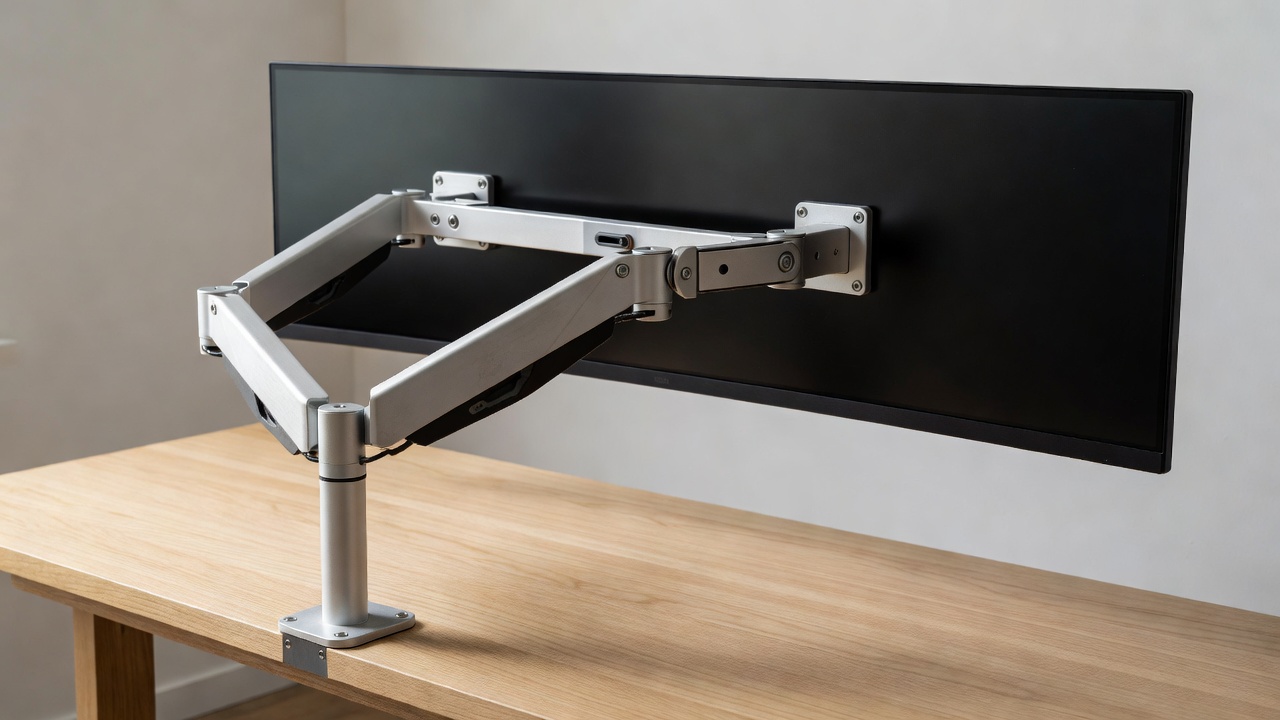
To eliminate this stress, mount displays on gas-spring articulating arms. Position the monitor directly in front of your midline. The top edge of the active viewing area should align with horizontal eye level when your spine is upright. Tilt the panel back 10 to 15 degrees toward your eyes. If using bifocal or progressive lenses, lower the display slightly so that viewing requires no upward chin tilt.
THE 20-8-2 INTERVAL CYCLE
Static posture—even when technically perfect—inevitably leads to muscular ischemia. Adopt the empirical Cornell University ergonomics cadence:
- 20 Minutes Seated: Work in neutral posture with full lumbar contact.
- 8 Minutes Standing: Elevate the motorized desk chassis to forearm height and work standing with knees soft and weight distributed evenly.
- 2 Minutes Moving: Step away from the desk, stretch hip flexors, rotate the thoracic spine, and gaze out a window past 6 meters (20 feet) to relax the ciliary ocular focus.
Forearm and Input Device Mechanics
Traditional flat computer mice force the forearm into full pronation, crossing the radius bone over the ulna and placing sustained torsional tension on the pronator teres muscle and carpal tunnel. Transitioning to a vertical mouse with a 57-degree handshake grip returns the forearm bones to a parallel, neutral rest position. Couple this with a split ergonomic keyboard to eliminate ulnar deviation of the wrists.